Set up in seconds
The fastest path is: pick a template, tweak it for your day, then run it as a checklist or timed schedule.
Choose a “Morning,” “Bedtime,” or other starter — or start blank.
Add activities, switch to home/classroom sections, and choose Playful or Discreet style.
Use List view for a simple checklist or Focus view for fewer distractions + a timer.
Currently in beta - and your feedback matters
ViziCues is already usable today, but we're still polishing details across devices, browsers, and real-world workflows. That beta label is here to be transparent - not because the app is an afterthought.
Common issues you may run into
- Layouts may look slightly different across browsers, phones, tablets, and desktop screens.
- Some spacing, icon sizing, or export layouts may need small polish on certain devices.
- Occasional edge-case bugs may appear in newer features such as profiles, backup/restore, timed mode, or advanced export flows.
How to report a bug
Inside the app, open More Options (top-left menu) → Help/FAQ → scroll to the bottom → Report a bug.
Best reports include what device/browser you were using, what you expected, what happened instead, and a screenshot if possible.
Privacy architecture
ViziCues is a creation tool. Your schedules, activities, and preferences stay on your device. No analytics in the app itself. No analytics profiling. No data selling.
- Local-only by default. No account required.
- Works offline. No cloud requirement.
- Optional exports/backups you control. Print, PDF, PNG exports.
- Nothing stored on our servers except licensing. Only if you choose Pro.
Want a one-minute version? See FAQ.
What you get (most of it is free)
No upgrade is needed for basic app functionality. Pro is optional for power features.
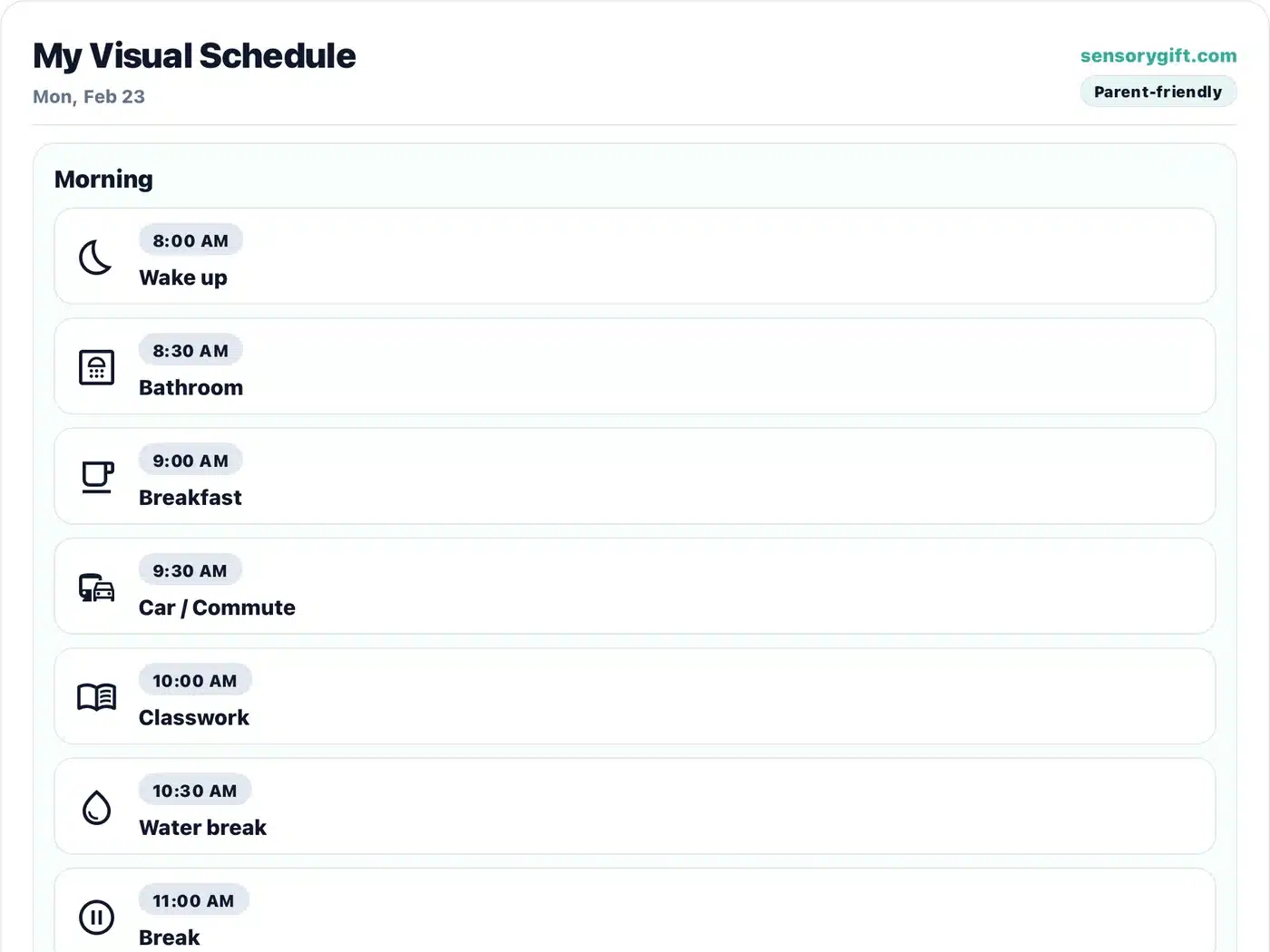
Discreet mode (teen/adult-friendly)
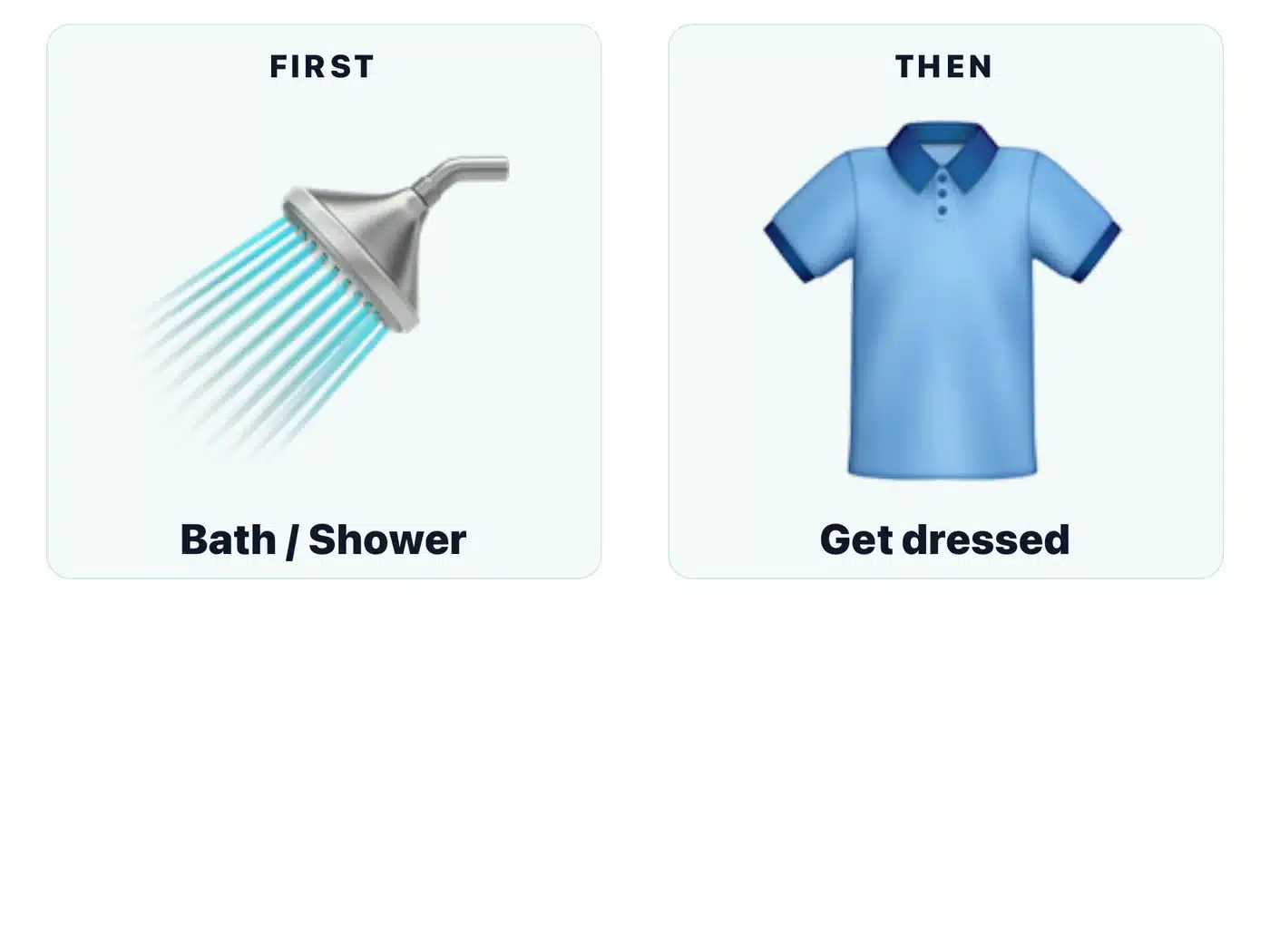
First–Then board (one tap)
Templates that actually save time
Build a day in seconds with premade and custom templates.
- Starter templates: free
- Custom templates: up to 3 free
- Pro: unlimited templates
3 views for real life
Choose the interface that fits the moment.
- Build: create and edit
- List: simple checklist
- Focus: fewer distractions + activity timer
Timed or simple mode
Exact-time schedules or a clean day checklist.
- Timed mode: schedule by time
- Simple mode: checklist style
- Great for transitions + independence
Discreet mode (mature-friendly)
Discreet pictograms + themes for school, work, teens, and adults.
- Less “kid-looking” visuals
- More neutral color themes
- Perfect for older users
Playful mode (bright + fun)
Colorful visuals that are easy to understand quickly.
- Kid-friendly look
- Clear icons
- Great for early routines
Exports + print
Get it out of the app and into daily life.
- Export/print schedules (free)
- Instant First–Then board generator (free)
Accessibility + languages
Supports built-in, not bolted on.
- Reduce motion, sound, text size (free)
- Text-to-speech reading support (free)
- Spanish + Simplified Chinese (free)
Home day or classroom day
Switch section names to match your context.
- Classroom: Morning / Midday / Late day
- Home: Morning / Afternoon / Evening
- Helpful for school schedules
Backups (optional)
Keep your work safe in a way that respects privacy.
- Pro: encrypted, password-protected backups
- You control where backups live
- No forced cloud sync
We're constantly improving ViziCues
We're building ViziCues to get better with every release. Here's the kind of work already on our roadmap for future updates.
More ways to build and display
More schedule and board layouts so families, teachers, and therapists can match different routines and support styles.
More personalization
Additional color themes, expanded template packs, and a bigger built-in library to make setup faster and more flexible.
More support tools
Additional language support, a reward system, and other quality-of-life improvements that make daily routines easier to run and reuse.
Roadmap items may shift as we learn from real user feedback, bug reports, and accessibility needs.
Pricing
Free covers the full basics: schedules, exports/print, starter templates, custom activities, and up to 3 custom templates. Pro is optional for unlimited templates + encrypted backups — $4.99/mo, $39.99/yr, or $99.99 lifetime.
- Basic schedules + exports/print PDF/PNG + printer-friendly.
- Starter templates + custom activities Build a day in seconds.
- Up to 3 custom templates Save and repeat the day.
- Playful + Discreet modes Kids and mature-friendly looks.
- Unlimited templates Save routines and reuse anytime.
- Premium template packs Workday • Appointments & Therapy • Travel & Outings • School & Classroom • Calm & Regulation.
- Unlimited profiles For families, classrooms, and caseloads.
- Unlimited custom activities Customize your library without limits.
- Encrypted backup & restore Password-protected backups.
- High-resolution poster exports Sharper prints and share-ready PNGs.
- Supports development Without paywalling the basics.
For Pro, only licensing is stored on servers. Your schedules stay on your device unless you export/share.